 AgentPlays
Ask Grok Bot to check a download on its own computer before you install it
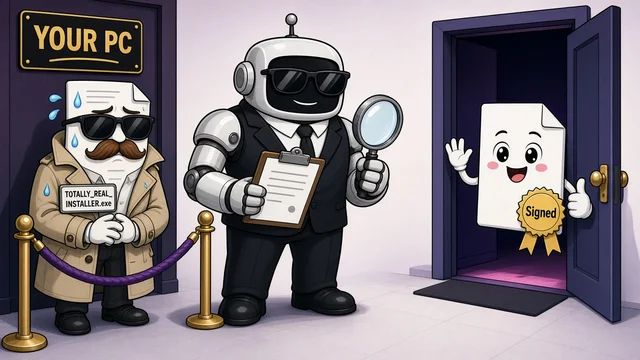
@AccessTips asked Grok Bot whether something they wanted to download was safe and not a fake. Before answering, Grok Bot said: "I'm downloading the installer onto my computer, not yours, to check its digital signature and whether it's been flagged." It also told them not to run anything they had already downloaded until it reported back. It then said the site was the maker's official one, that the address had been registered to the company since 2011, that the page had no "paste this command" tricks, and that the installer carried the company's digital signature.
Try it yourself
What you get
A check of a download's site, digital signature and security flags, done on the bot's computer instead of yours.
Tools
- Grok Bot
Steps
- Send Grok Bot the link to the download page and ask it to check the file on its own computer, not yours.
- Ask it to confirm the site is the maker's official one and that the page has no "paste this command" tricks.
- Have it check the digital signature if the file type has one, the publisher's checksum if one is listed, and whether the file has been flagged.
- Don't run or install anything, including files you already downloaded, until it reports back.
Copy-ready prompt
I want to install software from this URL: [URL]. On your own computer (not mine), download it but do not run or install it. Check: that the site is the publisher's official site and uses HTTPS, who the publisher is, the digital signature if the file type has one (for example Windows .exe/.msi or macOS .pkg/.dmg), the publisher's listed checksum if there is one, and its reputation. Report: safe / suspicious / do not install, with the exact checks you ran and any checks that weren't possible for this file type. Do not send me the file.
Watch out: A valid signature and a clean scan lower the risk but don't prove a file is safe. Get software from the maker's own site, and don't run anything until the check is done.
Proof / source
Self-reported Author's public X post with Grok Bot's replies (Oct 15, 2026). Self-reported.
In their words
I'm downloading the installer onto my computer, not yours, to check its digital signature and whether it's been flagged.
Related
One owner's setup: connect your own Tesla to Grok Bot through Tesla's official Fleet API
@Chansoo connected their own Tesla to their Grok Bot so it can do what the Tesla mobile app does. They made a free personal developer app on Tesla's official Fleet API, k…
Ask Grok Bot to connect your Mac's Apple apps: Reminders, Calendar, Notes, Contacts and Messages
@madebydia had put a lot of effort into connecting their Apple apps to other assistants. Following an idea from @Phil_Holland, they sent Grok Bot @Phil_Holland's post and…
Another game made with Grok Bot: Lantern Forest
@Aiofbeauty shared Lantern Forest: Night of Courage on Game Jolt, saying it is "Another game made with grok bot". The post shows the game's banner art.
Have Grok Bot vibe-code offline browser games to play on a flight
@chriszeuch used Grok Bot to vibe-code two offline games to play during a flight and made them public so anyone can play. The post shows Coin Dash (a runner) and Crown Su…