 AgentPlays
Have Grok Bot order Chicken McNuggets while you watch the cart
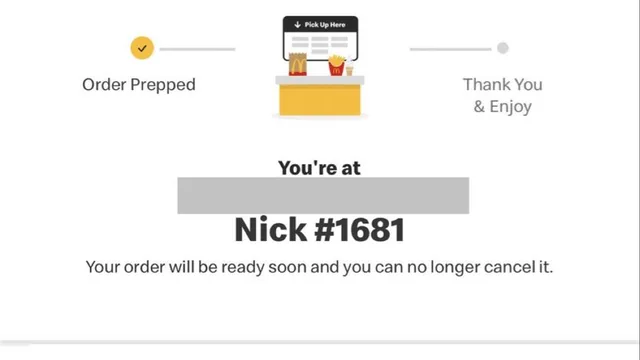
@johnfrkennedy had Grok Bot successfully order a 10-piece Chicken McNuggets from McDonald's. The pickup screen in the post briefly looked like 110 nuggets before resolving to a 10-piece — a panic they joke about. Confirm the cart line before you approve payment.
Try it yourself
What you get
A real fast-food order placed by the bot after you approve the cart.
Tools
- Grok Bot
- McDonald's account or guest checkout
- Payment method you approve
Steps
- Spell the SKU (e.g. 1× 10-piece McNuggets) and location.
- Stop at cart review — check quantity and price.
- Approve payment yourself.
- Confirm the pickup screen matches what you ordered.
Copy-ready prompt
Order [ITEM] from McDonald's at [LOCATION] for [PICKUP/DELIVERY]. Show me every cart line and the total before payment. Do not change quantity or add extras. Stop for my approval. Use a one-time card if I provide one.
Watch out: Approve every payment. UI can flash wrong quantities — re-read the confirmation.
Proof / source
Self-reported Author's public X post with McDonald's pickup screenshot (Oct 16, 2026). Self-reported.
In their words
Shoutout to Grok @Bot for successfully ordering me Chicken McNuggets ✊🏼 But NOT shoutout to @McDonalds for the 3-second panic attack by making me think Grok Bot ordered **110** nuggets 🤣 Although 110 nugs for $13 would’ve been a GREAT find by @grok bot 😂 1x 10pc McNUGGETS, PLEASE.
Related
Have Grok Bot bid at a live webcast auction while you travel, within limits you set
While traveling, Michael Dorausch (@chiropractic) had Grok Bot bid on items at a live webcast auction after they went over strategy together and set limits. The bot's rec…
Have Grok Bot scrub your phone number from spam-call data brokers
@MinimalDuck got tired of spam calls, so they had Grok Bot find their number on people-search and data-broker sites and file the removals. They published the flow as a fr…
Have Grok Bot cut a 2-minute Starship documentary with narration
@Napoleon__Bon asked Grok Bot to create a documentary about Starship. The bot downloaded clips, wrote narration, assembled transitions, and offered voiceover options. The…
Build a food and fitness tracker by talking to Grok Bot
@AnotherHumanSol built a personal food and fitness tracker with Grok Bot by talking from the driver's seat of their Tesla — no coding. The screenshot shows activity rings…